← projects
M4rkdown
A v3.1 offline-first Markdown workspace with advanced preview, local documents, collaboration, and an eight-player typing arena.
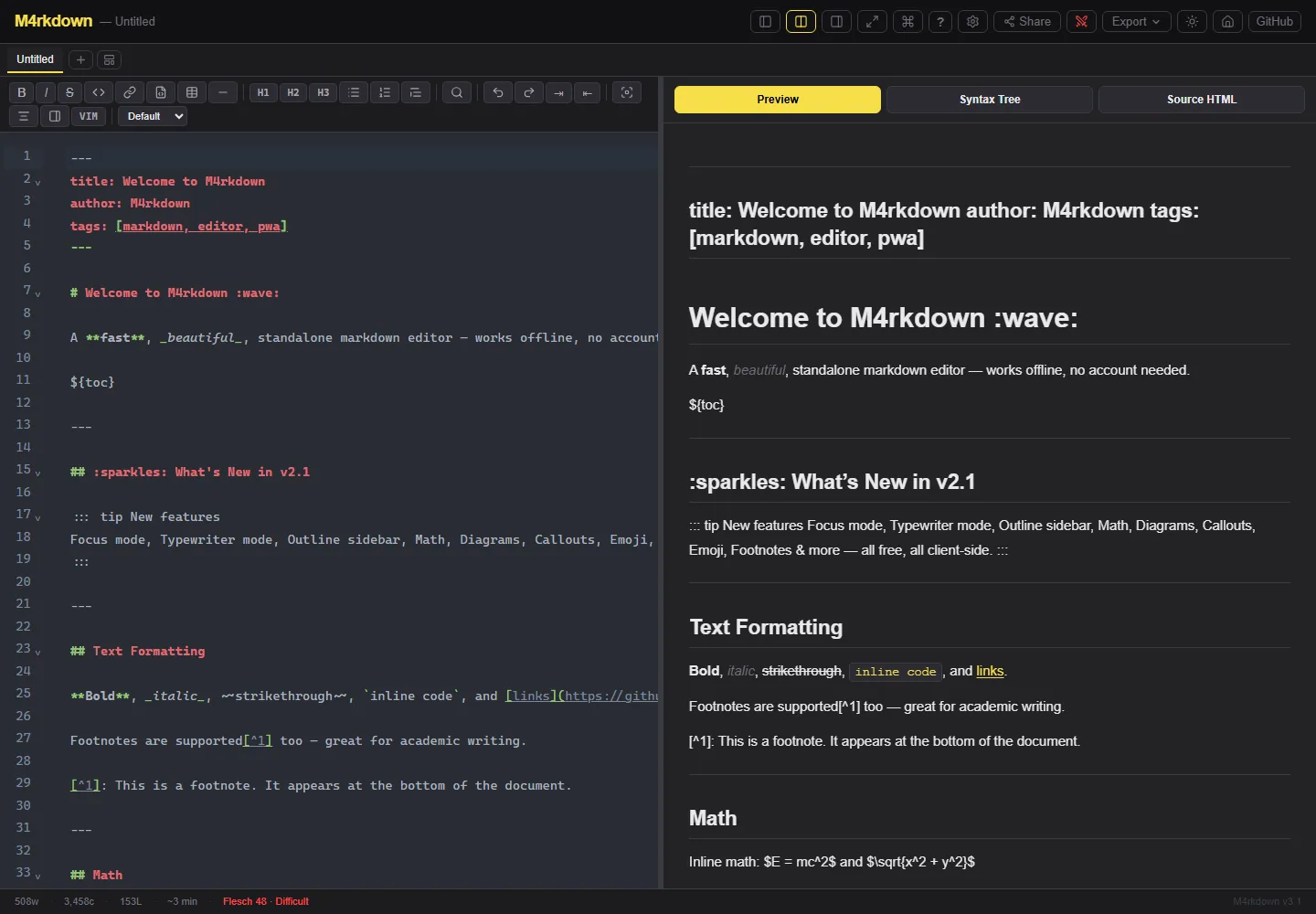
What it is
Problem
Most markdown editors assume a connection and a single writer. M4rkdown asks what an editor feels like when it works offline first and invites other people in.
Solution
M4rkdown combines CodeMirror 6, local document tabs, rich Markdown preview, templates, export, and PWA caching in a Preact app. PartyKit adds collaborative writing and a separate typing battle with solo challenges, multiplayer rooms, XP, and reconnect recovery.
What it looks like
Two modesThe entry screen makes the project's unusual scope explicit: a serious offline writer and a live typing game share one product.
Built with
Frontend
- Preact 10
- Signals
- TypeScript
- Vite
Editor
- CodeMirror 6
- Vim mode
- KaTeX
- Mermaid
Realtime
- PartyKit
Platform
- Workbox
- PWA
- localStorage
Highlights
- Editor, split, preview, focus, and typewriter modes
- Vim bindings, formatting toolbar, linting, outline, templates, and image paste
- KaTeX math, Mermaid diagrams, syntax themes, and multiple export formats
- Tabbed local documents with word goals and offline PWA support
- Realtime collaborative writing with reconnect recovery
- Solo daily challenges and multiplayer typing rooms for up to eight players
Engineering
- Process 01
Separate local documents from realtime rooms
- Context
- Offline writing and multiplayer sessions have different ownership, persistence, and recovery semantics.
- Approach
- Keep tabbed documents in local storage and use PartyKit only for room-based collaboration and battles.
- Outcome
- Offline writing stays dependable, while moving content between local and shared contexts remains an explicit action.
- Process 02
Use one product shell for work and play
- Context
- A typing arena could have become a disconnected side project with separate navigation and state.
- Approach
- Present Writer and Battle as first-class modes inside the same Preact application.
- Outcome
- The utility becomes memorable and reuses realtime infrastructure, but the product must maintain two very different interaction densities.
Under the hood
Architecture notes
- CodeMirror 6 owns editing extensions while Preact Signals keep document, preference, and mode state lightweight.
- Workbox caches the application shell so core writing remains available offline.
- PartyKit separates room-based collaboration and typing-arena state from local document persistence.
- Markdown extensions for math, diagrams, callouts, footnotes, and syntax rendering are composed into the preview pipeline.
Challenges
- Offline local documents and realtime rooms have different ownership and recovery rules.
- A feature-rich editor must keep keyboard commands discoverable without letting toolbars dominate the writing surface.
- The former m4rkdown.is-a.dev address no longer resolves to the app; the case study now links to the working Vercel deployment.
Outcome
A deployed v3.1.0 PWA with a genuinely broad editor surface and a memorable second mode: collaborative and competitive realtime typing built on the same application foundation.
Roadmap & lessons
Lessons learned
- 01Offline-first changes every assumption about state and conflict resolution.
- 02A small playful mode makes a utility memorable.
Next steps
- 01Add durable document version history
- 02Test collaboration recovery under network churn
- 03Retire stale domain references across the repository